LMS
by STEPS
Case study | EdTech, SaaS in Saudi Arabia

A SaaS LMS, already deployed at three training organisations

STEPS designed and develops a complete training platform, built in Arabic: classroom, live or recorded courses, exams, surveys, certificates and trainer contracts. One platform, delivered as SaaS to each client with its own identity.

Multi-client SaaS
3 entities live
Arabic RTL interface
LMSONE SAAS PLATFORM
NOWNOW instance
MuathirunMuathirun instance
JadeerJadeer instance
01 - Live

One platform, three identities

Each organisation has its own space, logo, colours and data. Every improvement benefits all clients at the same time.

1

A single code base, maintained and continuously improved by STEPS.

3

Training organisations live: NOW, Muathirun and Jadeer.

∞

A new client is deployed with no development: identity, roles and content.

NOWTraining institute
MuathirunTraining programmes
JadeerSkills development
02 - Course types

Six ways to create a course

Each course combines an audience, public or private, and a format. The creation form adapts to each combination.

In personOnline (Zoom)RecordedPublic

Open classroom course

Open registration, room, trainer and attendance sheet.

Public webinar

Zoom session launched from the platform, attendance recorded.

Public video course

Open-access catalogue, progress tracked.

Private

In-house training

For a given client, with its participants and its contract.

Private virtual class

Restricted access, dedicated sessions and materials.

Private learning path

Recorded content for a group or a company.

03 - The modules

Ten modules, one tool

The platform screens, Arabic interface, module by module.

Catalogue and discovery
01 - Catalogue

Catalogue and discovery

Trainees browse the available courses, discover the programme, the trainer and the dates, then register.

  • Course cards with format and dates
  • Detailed course page
  • One-click registration
Course creation
02 - Creation

Course creation

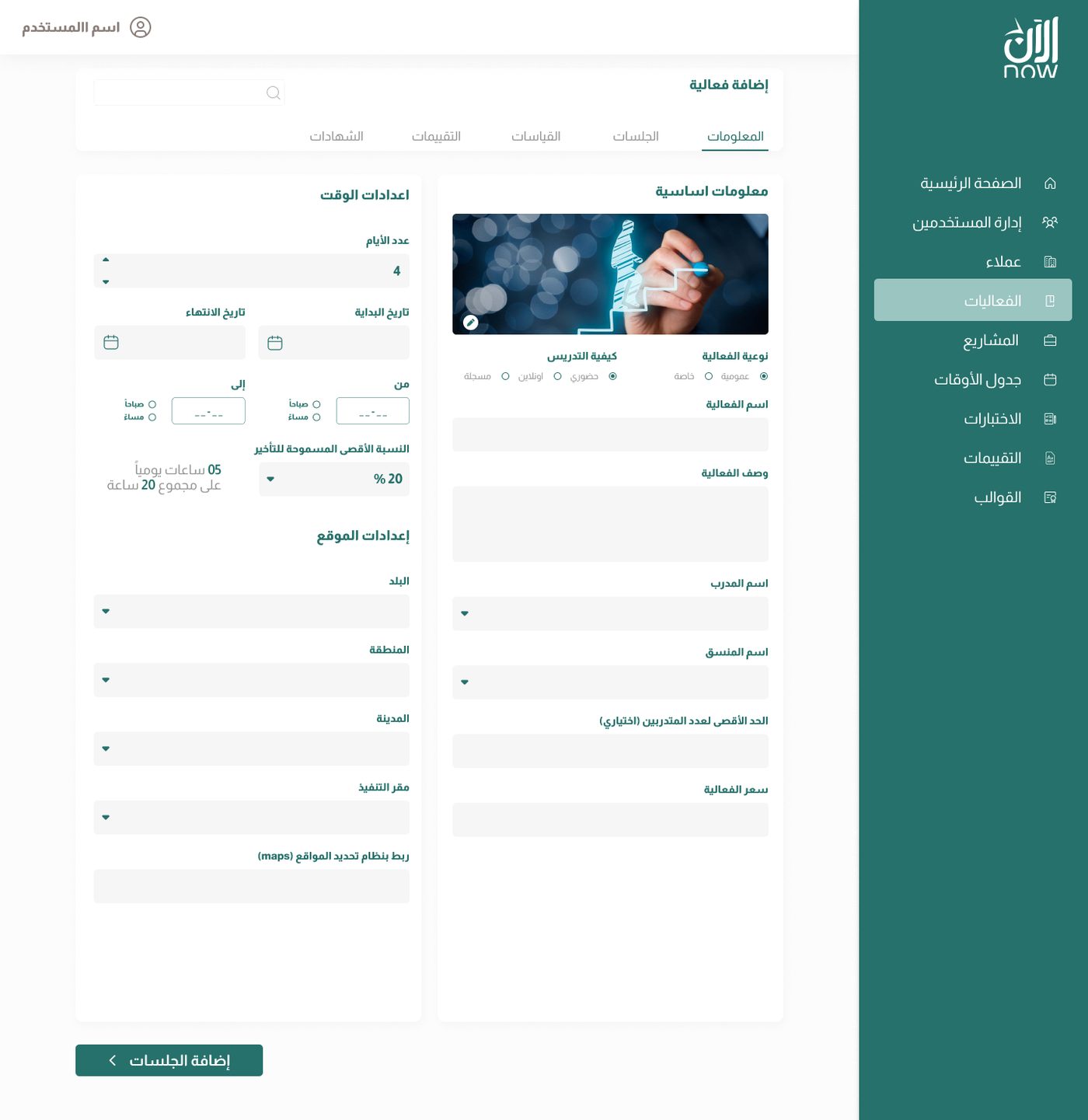
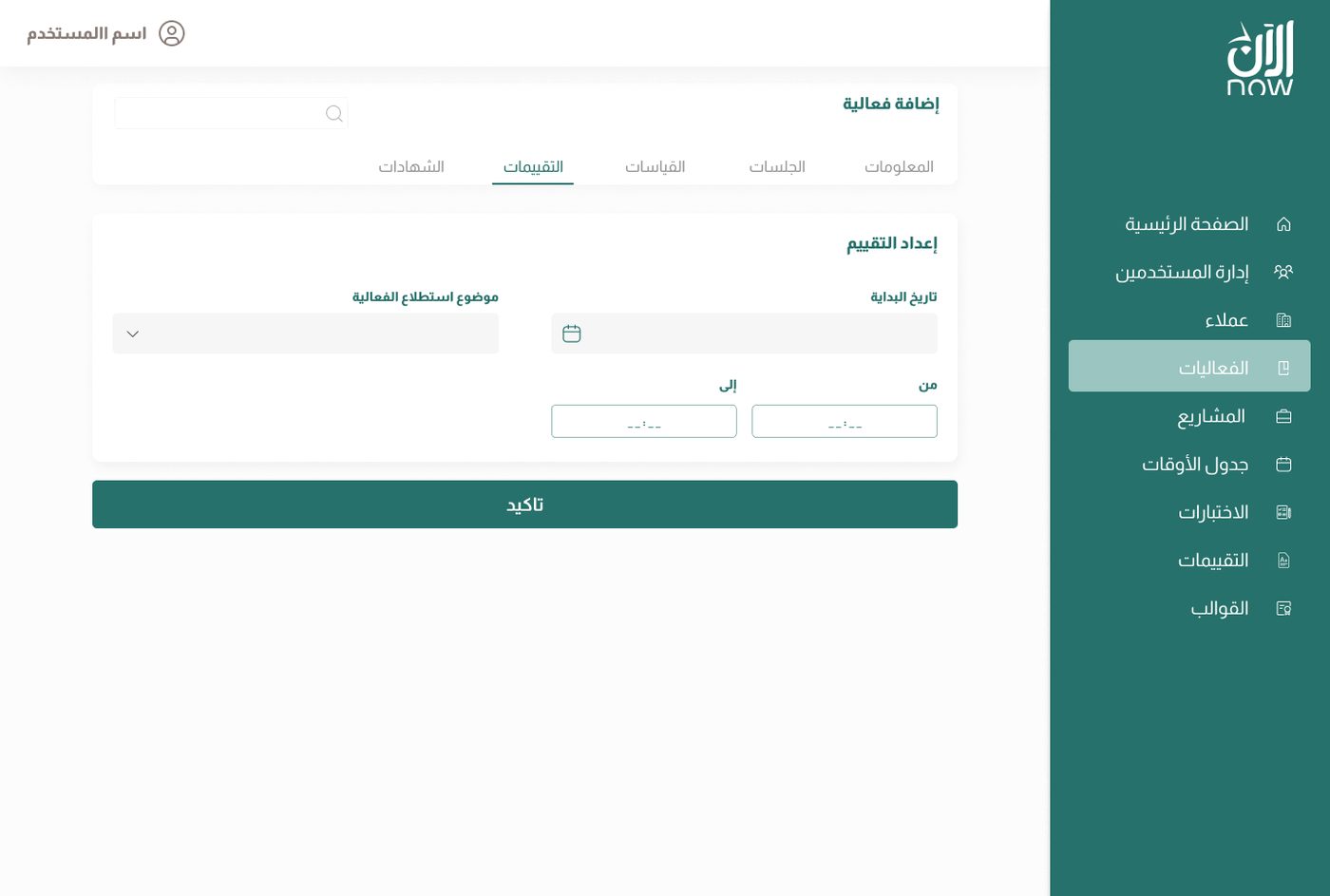
A single form for all six course types: information, schedule, venue or link, trainers, seats and fees.

  • Reusable course builder
  • Schedule and venue per session
  • Duplicating an existing course
Sessions and content
03 - Sessions

Sessions and content

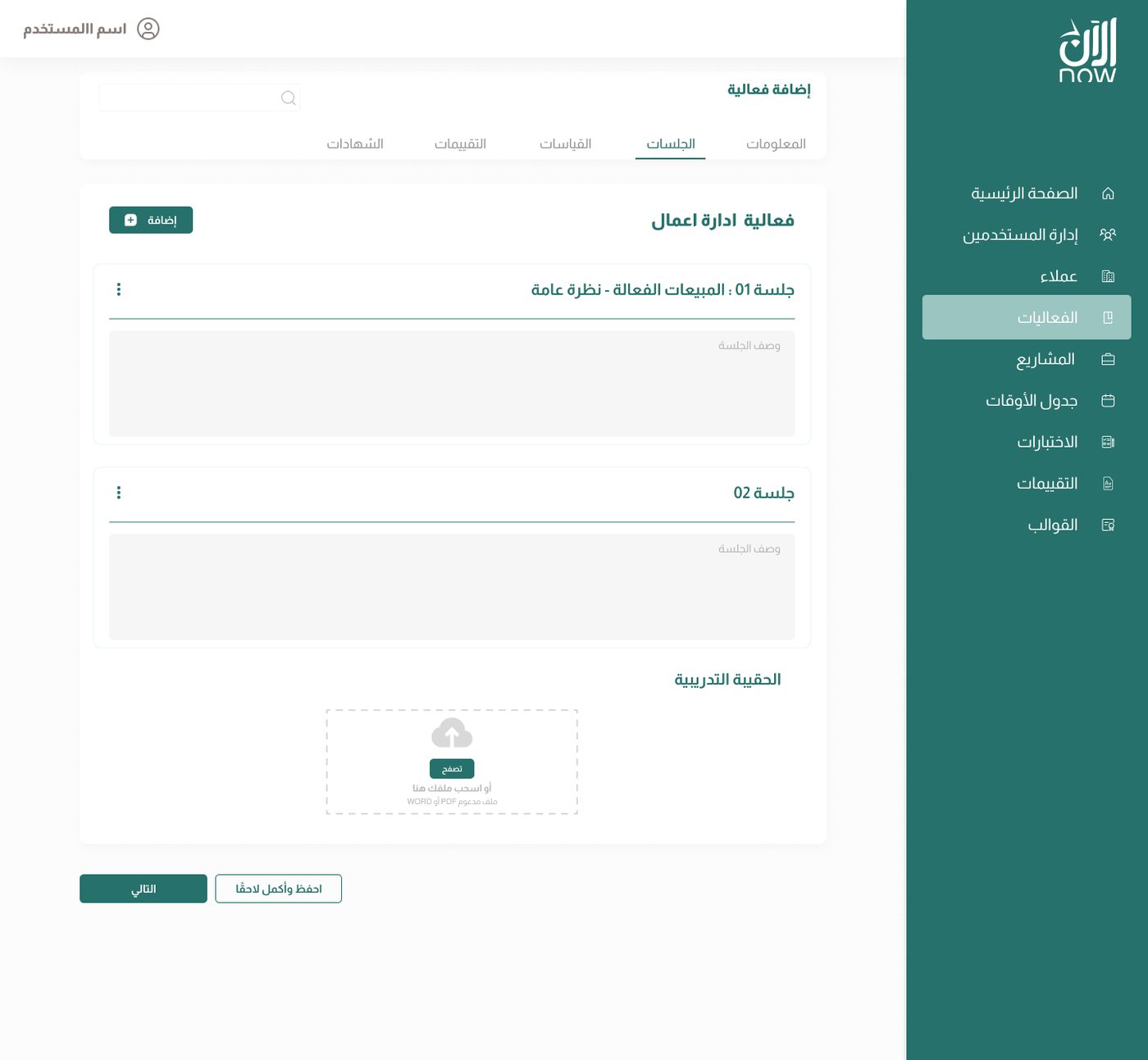
Each course is split into sessions, with their materials, videos and links. Zoom sessions are launched from the platform.

  • Session order and content
  • Downloadable materials
  • Built-in Zoom, no link to send
Exams and question banks
04 - Exams

Exams and question banks

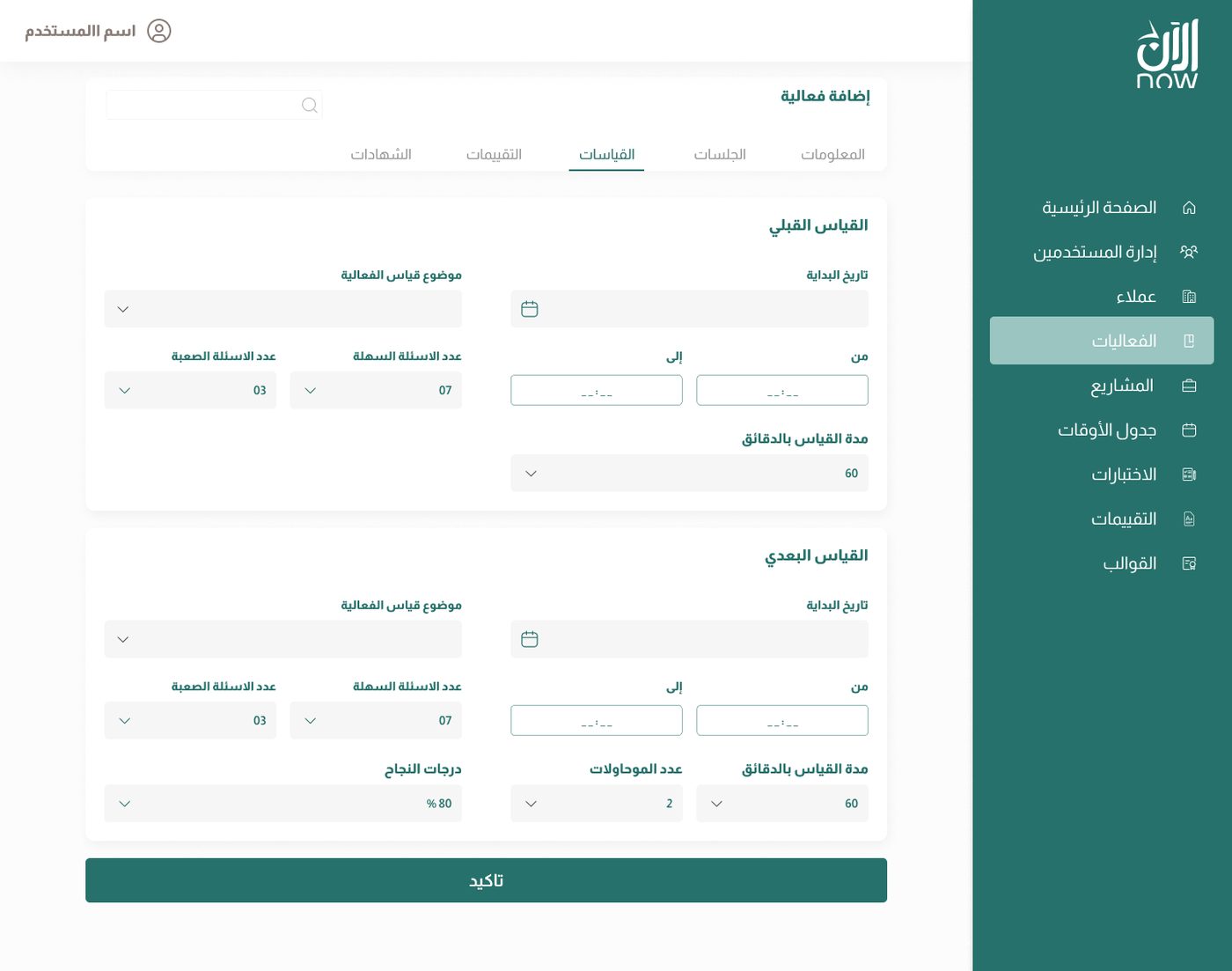
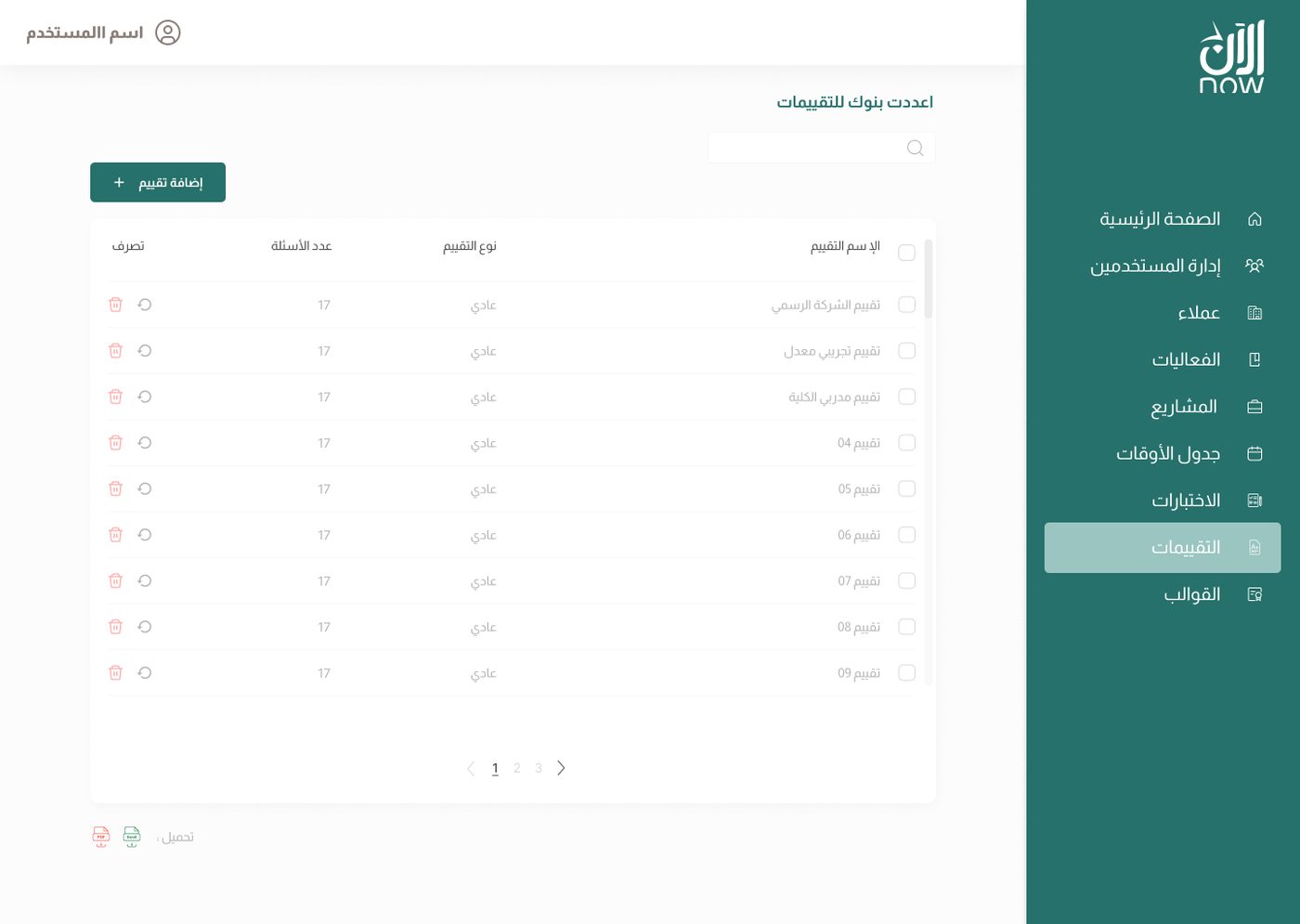
Pre- and post-training tests, timed and marked automatically, drawn from reusable question banks.

  • Pre-test and post-test
  • Question banks by topic
  • Automatic marking and grades
Satisfaction surveys
05 - Surveys

Satisfaction surveys

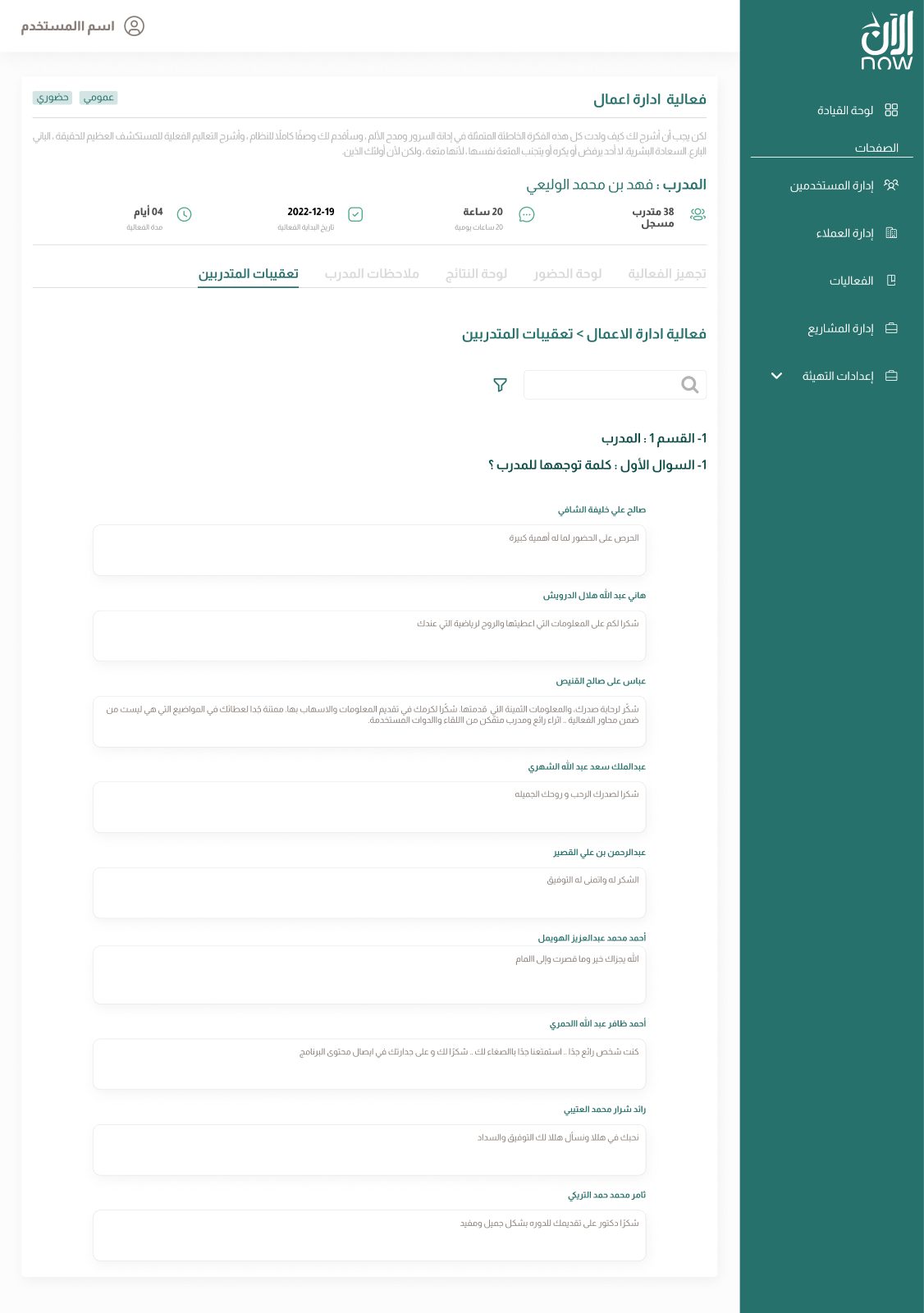
One survey per course, sent at the right time, with consolidated reports and trainer comments.

  • Survey scheduled per course
  • Feedback from trainees and trainers
  • Aggregated reports
Certificates
06 - Certificates

Certificates

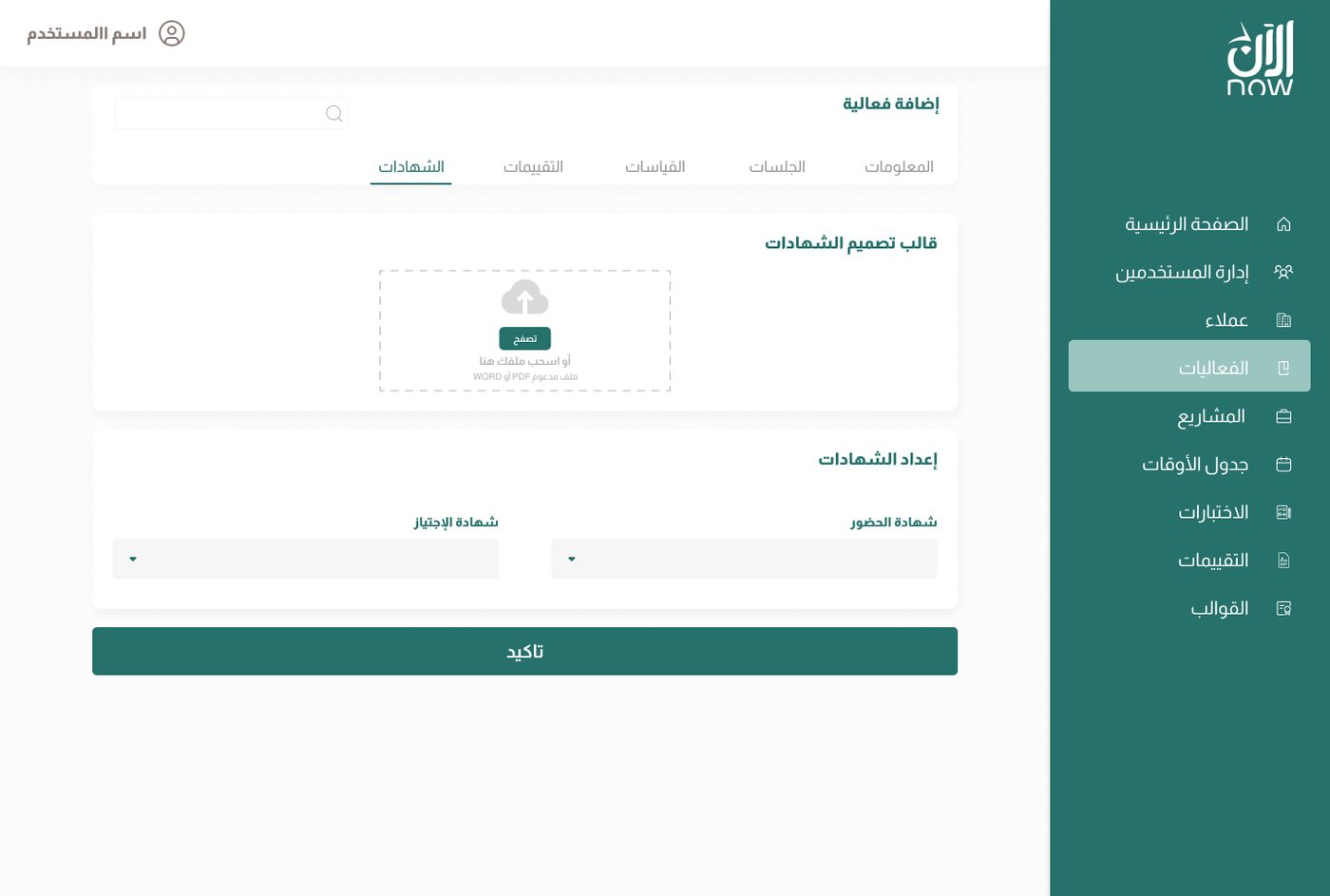
Certificates are generated from templates, as PDF, with a QR code to verify their authenticity.

  • Templates by certificate type
  • Automatic generation at course end
  • Anti-counterfeit QR code
Trainee journey
07 - Trainee

Trainee journey

Trainees follow their courses, watch videos, take their tests and download their certificate from a single space.

  • Progress by session
  • Tests built into the journey
  • Downloadable certificate
Users and roles
08 - Users

Users and roles

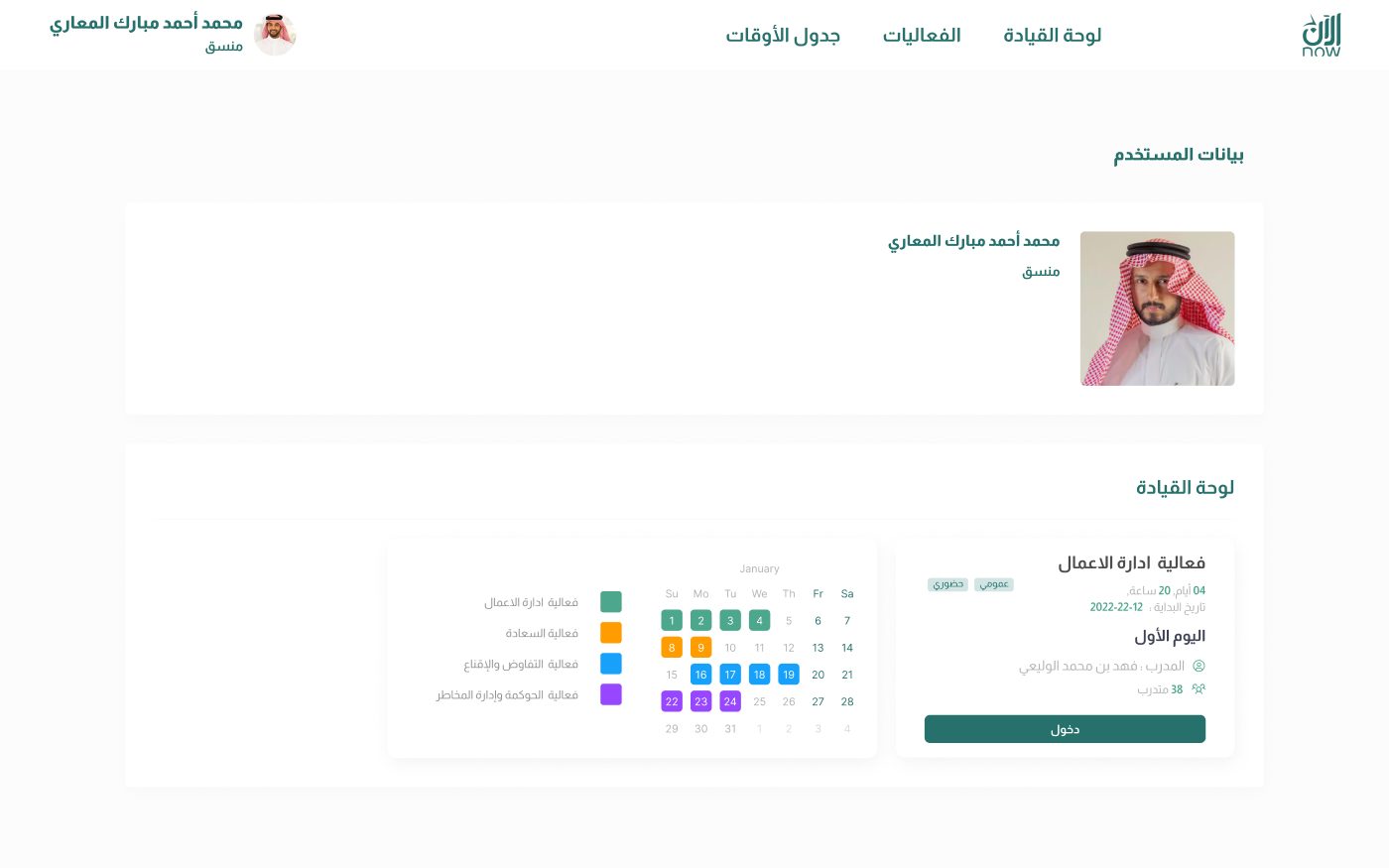
Each profile has its own dashboard and rights. Bulk actions speed up administration.

  • Filters and bulk actions
  • Dashboard by role
  • Coordinator calendar
AdministratorSuper coordinatorCoordinatorTrainerTrainee
Trainer contracts and payments
09 - Contracts

Trainer contracts and payments

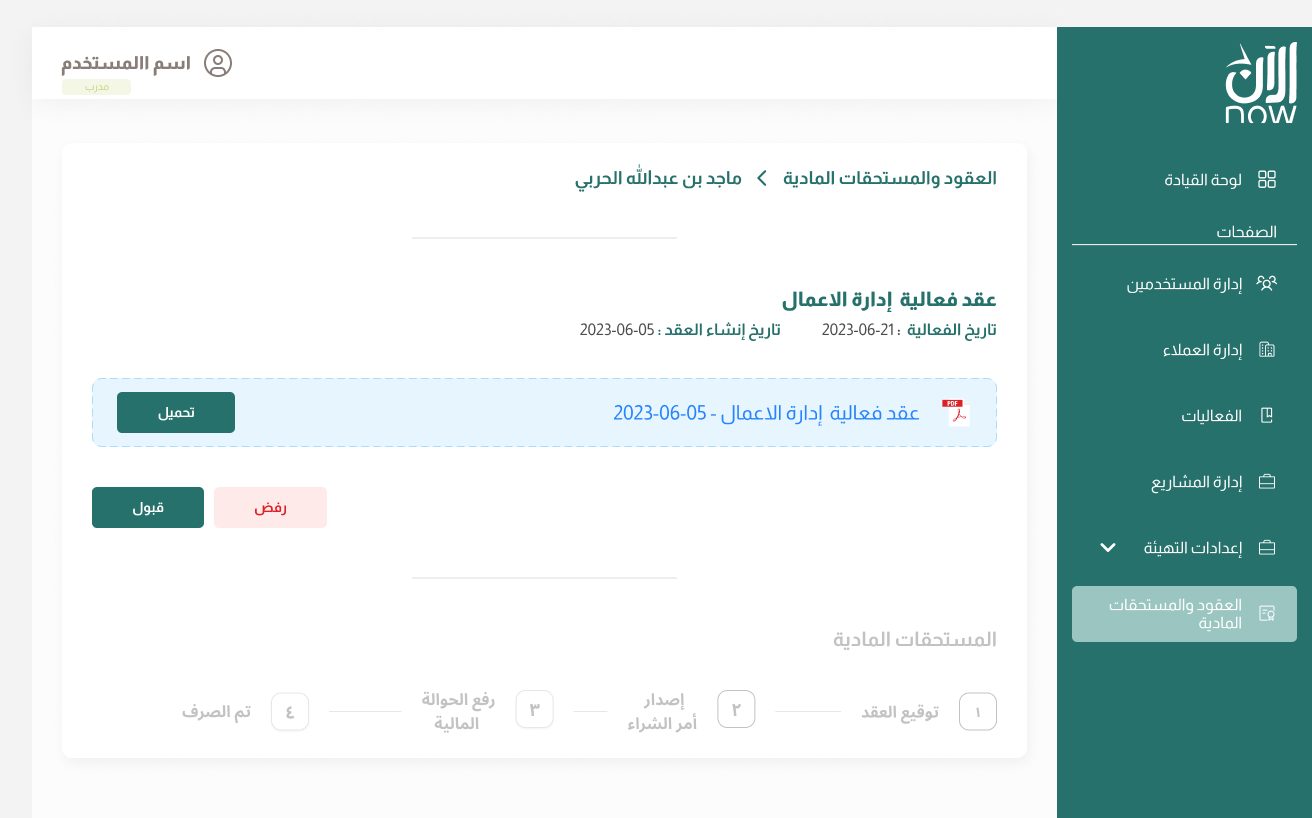
Trainer contracts and the amounts owed to them are tracked in the platform, from acceptance to settlement.

  • Contracts by trainer and by course
  • Contract approval or rejection
  • Tracking of amounts owed
Training projects
10 - Projects

Training projects

Large programmes group several courses for a client, with their own tracking.

  • Public or private projects
  • Courses linked to the project
  • Overall programme tracking
04 - Designed in Arabic

Not a translation: an interface designed right to left

The design system was built RTL from the start: navigation, tables, forms and charts read naturally in Arabic.

BOLTED-ON TRANSLATION

Menu on the left, text aligned at random, icons facing the wrong way.

DESIGNED RTL

Menu on the right, natural reading, mirrored components from the design stage.

3×course capacity
70%less administrative time
3organisations live
40+screens in Arabic RTL
"STEPS understood the complexity of our training operations from the very first workshop."
A training organisation client
FAQ

Frequently asked questions

Is the LMS available as SaaS?

Yes. It is already deployed as SaaS at three training organisations, each with its own identity, roles and data.

Can it be used in another language?

The interface is designed in Arabic RTL and can be offered in French or English.

Do you need a separate Zoom account?

No, Zoom is built in: sessions are created and launched from the platform.

Can the certificates be verified?

Yes. Each certificate carries a QR code that links to its online verification.

Do you manage training with Excel, Word and Zoom links? Discover the platform in a demo.

Book a scoping session ↗